
XBajee Technical Support

Today’s digital world need reliable technical support for a good online experience. XBajee Technical Support may help Bangladeshi users with account access, resolving typical technical issues, exploring site features, and fixing issues. Clear support information helps consumers manage daily tasks on smartphones, tablets, and computers.
Good technical support emphasizes accessibility, security, transparency, and practical solutions. Users should comprehend problem-solving steps without confusion. Knowing how to detect and convey problems like login issues and browser compatibility can save time and frustration.
This guide covers the basics of XBajee Technical Support for Bangladeshi users. It also covers troubleshooting, account security, and what users should know before asking for help.
Why XBajee Technical Support Matters
Technical issues can occur on any internet platform. Pages may load slowly, login attempts may fail, or features may not work on some devices. When issues develop, accessible support guidance helps users know what to check first and when to seek help.
Simple explanations should replace technical jargon in XBajee Technical Support. Users with diverse digital experience should be able to follow instructions independently whenever possible.
Mobile accessibility is important for Bangladeshis. Multiple mobile networks, Wi-Fi connections, browsers, and device specifications are available. Unstable connections can generate issues that look like platform errors, so diagnosing the source is crucial.
Technical support should help users discern device, connectivity, account, and platform difficulties.
Common Technical Issues and Their Solutions
Login/Account Issues
Login issues are a leading technical help request. Incorrect credentials, typing errors, forgotten passwords, and intermittent connectivity issues can block access.
Check your username and password if you’re having login issues. They should also check keyboard language, capitalization, and inadvertent spaces. Users can follow the platform’s password recovery steps to restore access.
The platform’s verified support channel may help if the issue persists. Users should describe the error message and when it occurred. Never reveal your password or OTP with a support agent.
Slow Loading and Connection Issues
Low internet speed, network congestion, browser issues, and service outages might slow loading. Users can test their connection on another trusted website before believing the platform is down.
Switching between stable Wi-Fi and mobile data may help discover the problem if other pages load slowly. Browser restarts and network reconnections can also help.
When a page freezes, avoid submitting forms or hitting transaction buttons. Waiting for the page to respond and verifying ongoing actions helps avoid duplicate submissions.
Device and Browser Compatibility
Some technical issues are caused by obsolete browsers or website data. For basic troubleshooting, update the browser, close superfluous tabs, and restart the device.
Clearing the browser cache may fix display issues. Users should know that deleting website data can sign them out or delete local settings. Make sure their login information is protected before doing so.
Bangladeshi smartphone owners can increase device performance by checking storage and applying official OS upgrades. Users should avoid installing unfamiliar apps or changing installation files to fix compatibility difficulties.
How to Contact XBajee Technical Support
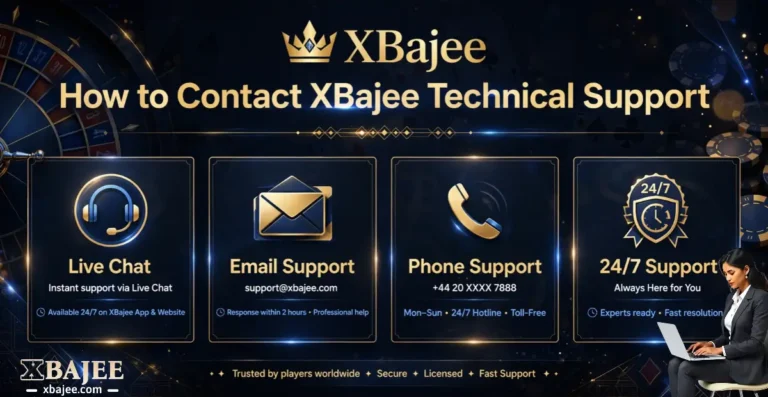
When basic troubleshooting fails, consumers may need to contact XBajee’s verified assistance. The platform’s contact details, hours, and response times should be verified.
Before posting a request, users should clearly describe the issue. When relevant, include the device type, browser or program version, approximate time of trouble, and error steps.
A helpful support message may clarify that an Android phone’s login page opens fine but displays an error once the user enters their credentials. This gives the support team a clearer starting point than a platform failure notification.
Before taking a screenshot, users should hide critical information. Never share passwords, payment information, verification codes, or confidential account information in public or unsecured messages.
Account Security and Privacy Protection
Users seeking online technical support should prioritize security. Support accounts can impersonate real representatives to steal passwords, verification codes, and financial data.
Before providing account information, users should validate a contact channel. They should also avoid clicking malicious links in unsolicited communications, social media remarks, or unfamiliar messaging accounts.
Passwords and OTP codes should not be required for reliable support. Users should stop talking and verify these details if requested.
Use a unique password, screen lock the device, sign out on shared computers, and secure recovery information. Review account activity when accessible and report suspected access through an official route.
Users should only submit the information needed to detect a payment or account transaction issue. If verified support demands it, a transaction reference may be useful, but card details, banking passwords, and personal identifying documents should not be supplied.
Technical Support for Mobile Users in Bangladesh
Bangladeshis utilize mobile devices for internet access daily. Online services can be accessed at home, on the go, or via public Wi-Fi. Different surroundings can affect device and connection performance.
Users should upgrade their browsers, close resource-hogging apps, and use a dependable network for a better mobile experience. Switching browsers can assist establish if a website layout issue is browser-specific.
Public Wi-Fi requires extra vigilance while accessing accounts or making important transactions. Users should use trusted networks and avoid entering sensitive data on unknown devices.
Users can help if a technical issue only affects one network. This may indicate whether the problem is with connectivity, device setup, or the platform.
Responsible Communication With Customer Support
A clear support request speeds up troubleshooting. Users should state one primary issue and what they’ve attempted. Giving a specific error message can be more helpful than a general summary.
For future reference, users should save support correspondence and numbers. Instead of filing duplicate complaints, they can refer to the initial request if a situation remains unresolved.
Support teams may need time to investigate technical issues including account verification or pending transactions. Users should trust confirmed updates and not unofficial guaranties of resolution timeframes.
The platform should explicitly state its support channels, escalation procedures, and service limits. Users should verify these data with official XBajee resources before using them.
Conclusion
Bangladeshi users wanting a safer and smoother internet experience might use XBajee Technical Support. Users may address minor difficulties faster by understanding frequent login failures, connection issues, browser compatibility, and account security.
When self-service troubleshooting fails, a clear, thorough request through a validated support channel is best. Users should preserve their personal data, update their gadgets, and verify platform-specific contact details before using them.
Practical troubleshooting, responsible communication, and privacy awareness make good technical assistance. These principles help users confidently handle technical issues and make smart online account decisions.